Advanced Usage
Refer to this page if Marshmallow PB is working normally and you want more advanced control over its behavior.
(For general troubleshooting, see “If You Run into Trouble” or “Q&A”.)
Tuning How Marshmallow PB Jiggles
Marshmallow PB’s jiggle is mainly controlled by three parameter groups:
- PhysBone
- Inertia (Inertia / Pseudo Multi‑Bone)
- Parallel Bone
PhysBone controls the main movement of the bones and determines how the chest jiggles.
Inertia controls inertial behavior and determines how soft and floppy the chest feels.
Parallel Bone controls how much the chest bone tries to maintain its angle and determines the sense of weight.
Marshmallow PB combines normal PhysBone with Inertia and Parallel Bone to achieve more natural, marshmallow‑like motion.
Without Inertia / Parallel Bone
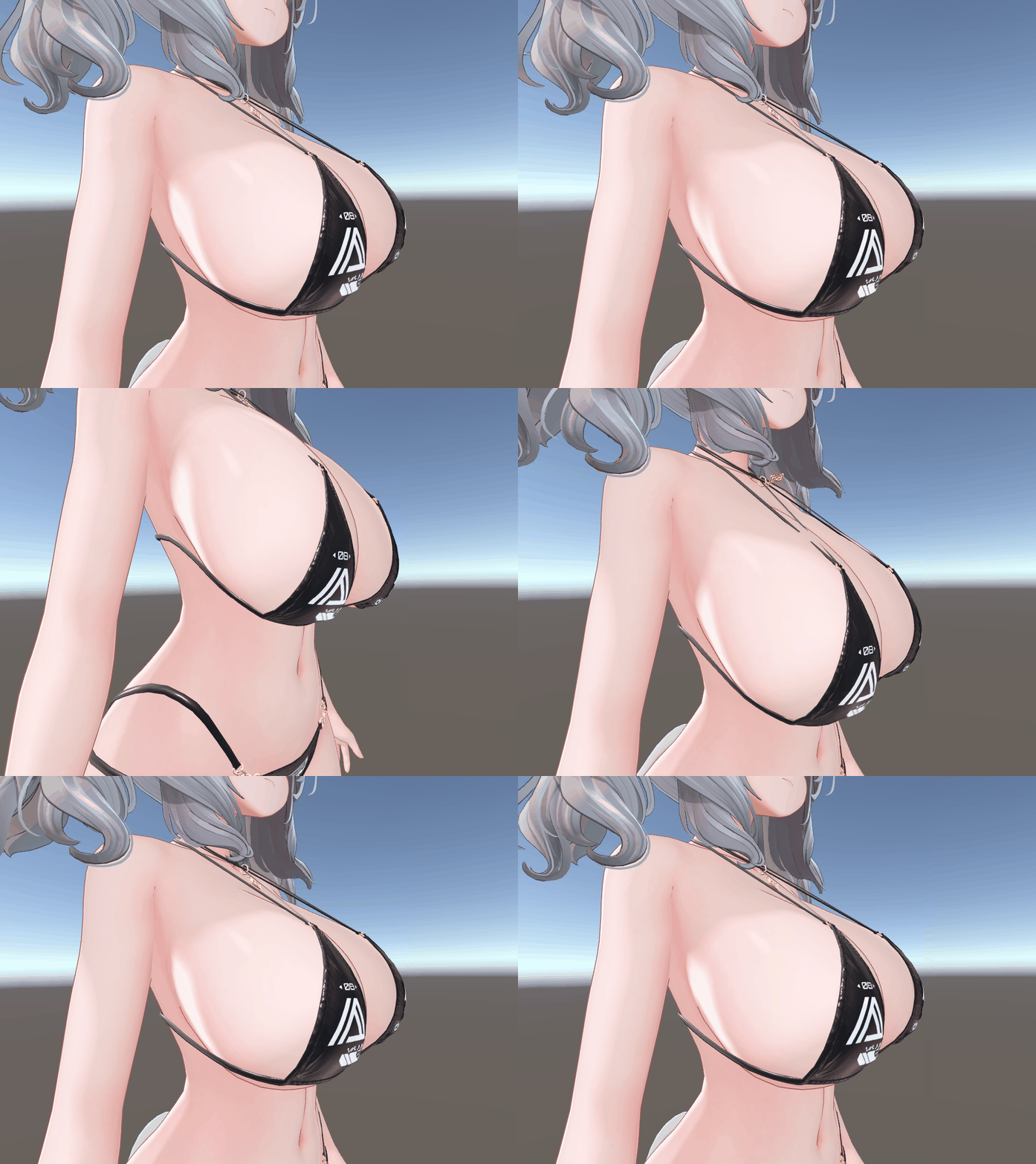
With Inertia / Parallel Bone
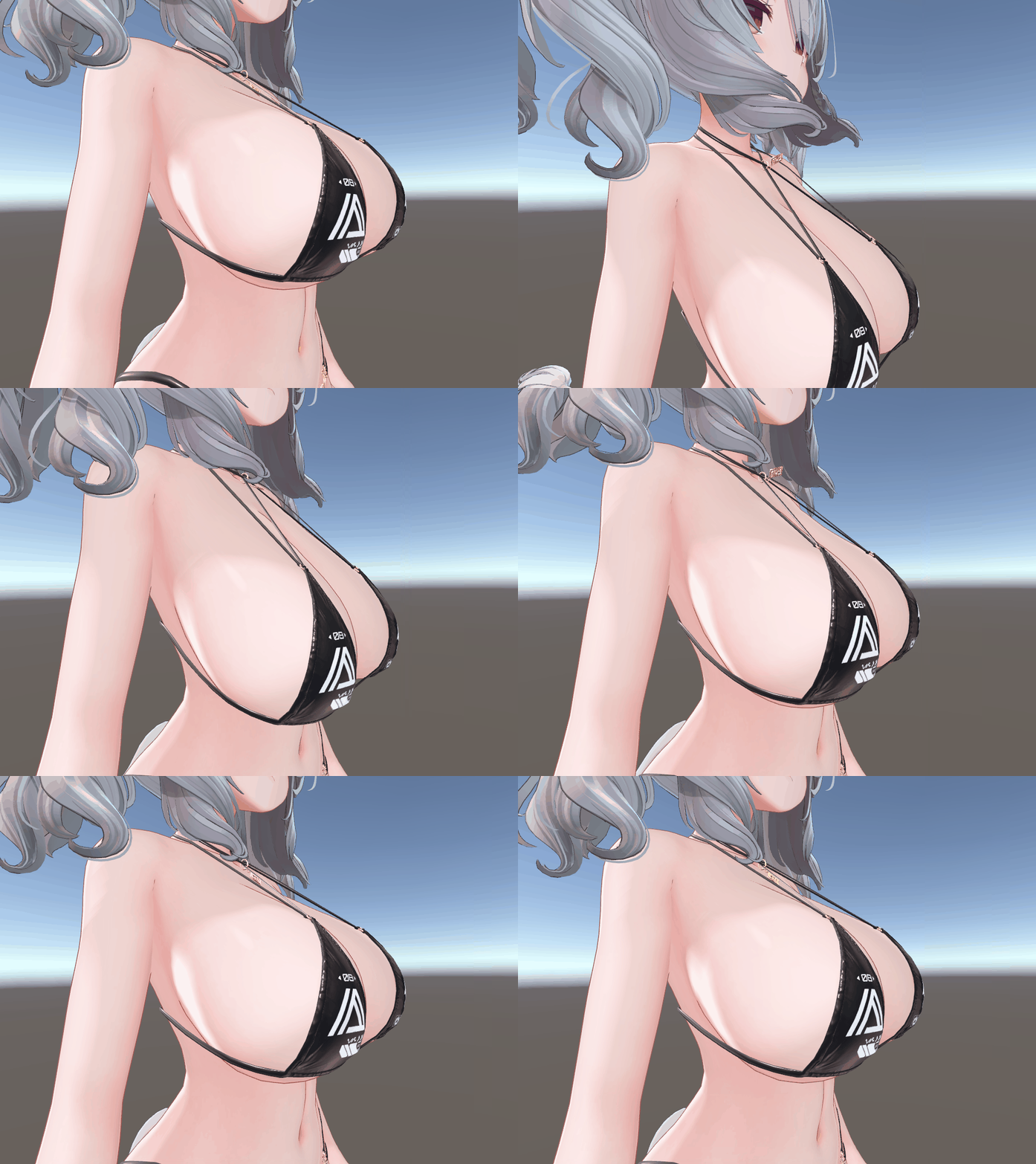
By adjusting these parameters, you can fine‑tune the jiggle in detail.
For parameter descriptions, see Configuration Panel.
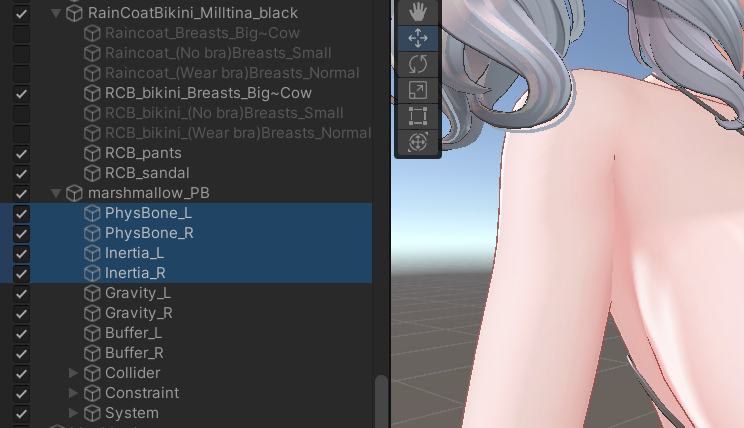
If you want to micro‑tune PhysBone or Inertia, directly edit the PhysBone components created under the avatar when you generate the setup:
marshmallow_PB/PhysBone_L,R and marshmallow_PB/Inertia_L,R.
You will see the changes immediately in Play mode. (Parallel Bone is adjusted from the system panel.)
Saving and Sharing Jiggle Settings
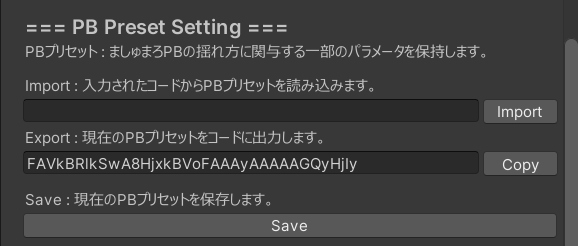
You can save and share Marshmallow PB PB presets.
- Code Format:
Export a preset as a text code and share it easily via SNS, etc. - File Format:
Save a preset as a file. The saved preset appears in the PB Preset list.
Adding Colliders for Marshmallow PB
If you add any collider and register it in the PhysBone Collider list, Marshmallow PB will interact with it.
Common examples are adding colliders on the upper arms or thighs so that they can press against the chest.
Adjusting Position, Rotation, and Size of Marshmallow PB
For supported avatars, using a preset fixes the position, rotation, and size of Marshmallow PB’s bones.
If you want to adjust them (for example, after changing chest size), treat the avatar as “unsupported” and set it up with the unsupported‑avatar workflow so that you can freely move and scale the PB objects.
Interacting with Other Players’ Marshmallow PB
Enable Chest Interference with Other Players in the Marshmallow PB settings to have chests squish against each other when they meet.
Both players must enable this option for the interaction to work.
You can toggle it from the in‑game menu as well.
Interacting with Default Colliders on Other Players
When Chest Interference with Other Players is enabled, Marshmallow PB can also interact with other players’ default colliders such as head and body (depending on how their avatar is set up).
Because the default head collider is small, increasing the size under Colliders in the Avatar Descriptor can make the interaction easier to trigger.
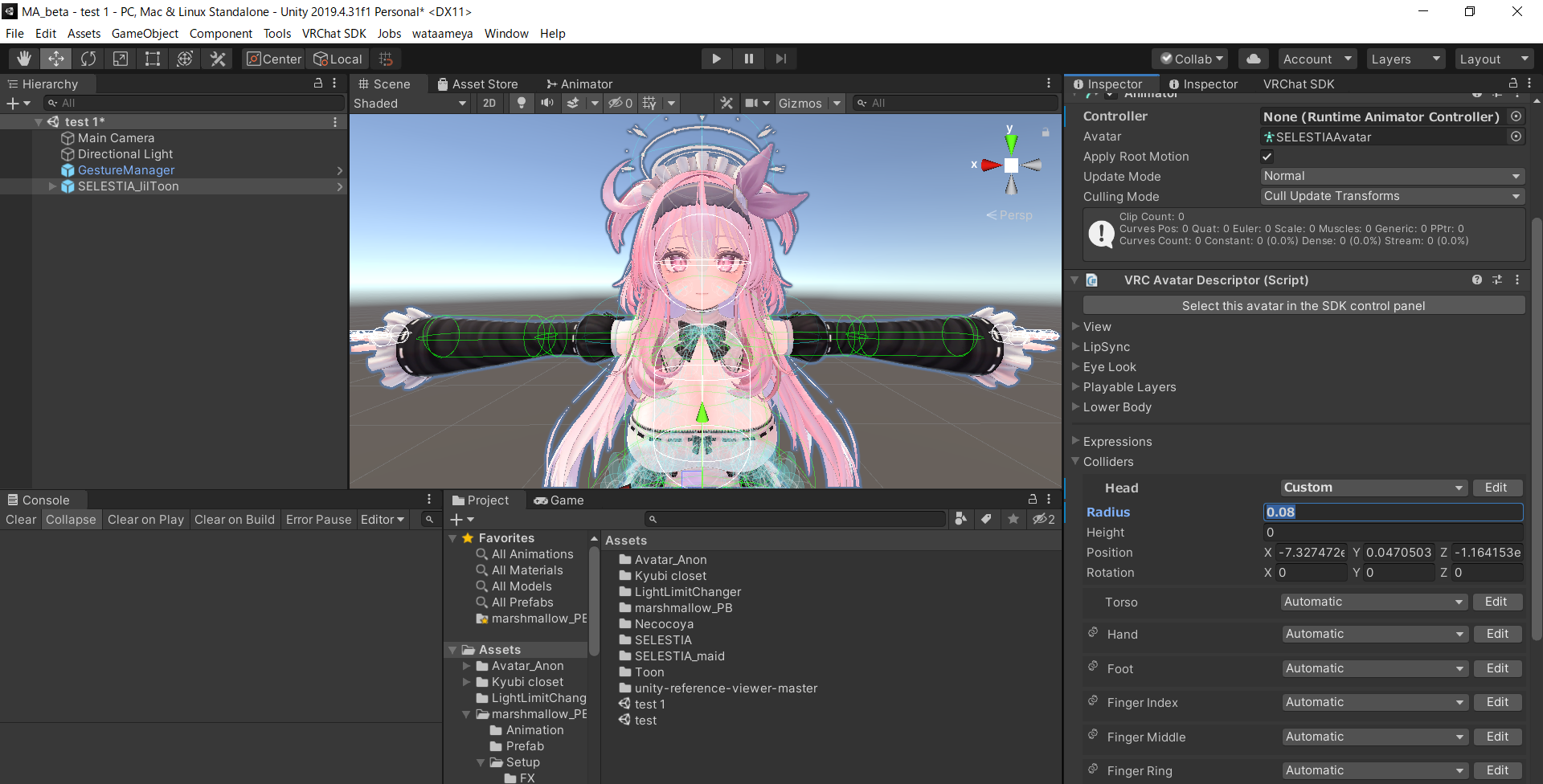
Using the Avatar’s Original PhysBone
If you want to keep your avatar’s original PB behavior and only add Marshmallow PB’s squish, enable Apply Only Squish Function (Use Original PB) in the configuration panel.
In this mode, the original PB movement is kept, but the chest will squish when pressed.
If you also want to use Marshmallow PB’s grabbing, turn Allow Grabbing off on the original PB.